
Microsoft Outlook
A brief introduction
In brief, which are the main features of Microsoft Outlook?
Outlook helps users in managing their email messages, scheduling meetings in calendars, maintaining contact details and keeping track of the tasks to be completed; defining due dates and setting reminders to help people finish them in time. Users can also make their own notes.
The combination of all these features together and the interaction among them make Microsoft Outlook powerful.
In this article, I will give a very brief introduction on some of the major functions of this software.
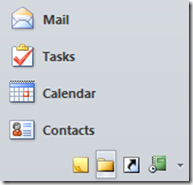
It stores incoming and outgoing e-mails in different folders. You can create your own folders and organize your mails. Outlook lets you search for mails and sort them as per your need. You can use Word to compose email. It also provides an additional facility of previewing your email attachments without having to open them completely to avoid any virus threat. Moreover, it is bundled with an effective client-side junk mail filtering tool.
CALENDAR
The calendar function is highly sophisticated and feature rich. After marking your appointments and events on the calendar, you can add sound or message as a reminder. Calendar items can be coloured for easy identification. You can display the calendar in different views: a day, a week, a work-week, and a month.
CONTACTS
Outlook comes with a powerful personal contacts database. Besides email addresses, you can use it to store various pieces of information such as job titles, phone numbers, addresses, and notes for each of your correspondents.
TASKS
It maintains all the jobs that you need to do, maybe now or later. Tasks could be divided into To-Do List and Tasks. To-Do List are quick notes about things to be done whereas tasks are more detailed with particulars like task start date, due date, status, percent complete, priority, owner and reminder.
NOTES
This tool provides an electronic version of the "Post-it" sticky notes. You can create notes with different colours and set reminders for each individual note. Outlook also allows you to post these notes on Windows desktop as they need to be referenced all the time.
JOURNAL
It tracks activities related to particular contacts and offers an easy mode to review them. You can trail e-mails sent to a specific contact, calls made to the contact, etc.